Self-hosted live streaming
Run your own live stream. Chat included.
adda is a live-streaming site you install on your own server. Stream from OBS, and people watch and chat in the browser while every broadcast is recorded. No accounts on someone else's servers, no per-minute fees.
curl -fsSL https://raw.githubusercontent.com/shahadathhs/adda/main/scripts/install.sh | shOn a Linux server with a domain pointing at it. Read the quickstart.
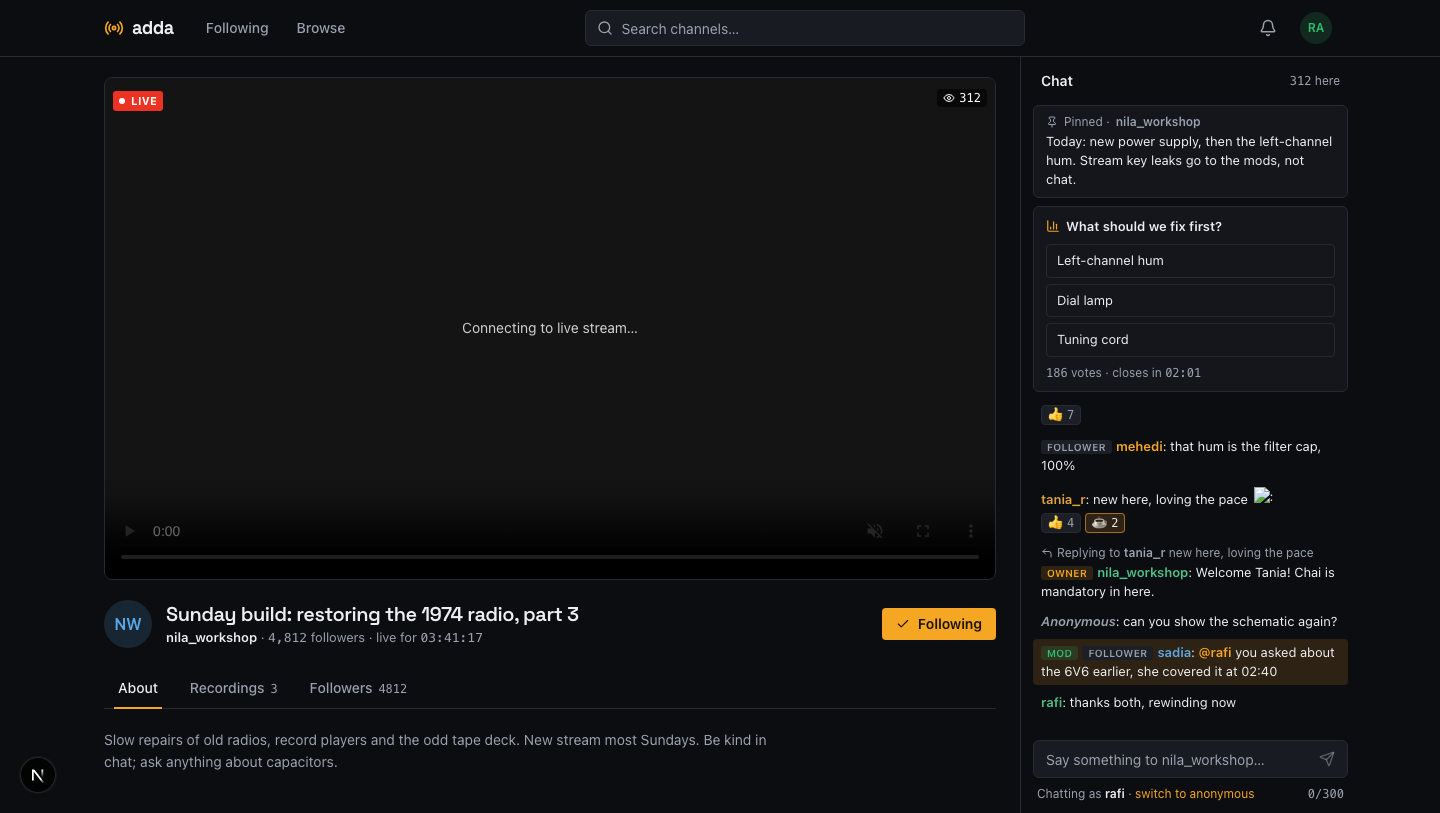
Watch and chat
A channel page that is the stream and the room.
Viewers open a link and watch, with a viewer count and an automatic reconnect. Chat sits beside the video with replies, @mentions, reactions, your own emotes, a pinned message and live polls.
- Guests can watch and read. Everything interactive needs an account.
- Reconnects catch up on missed messages without a reload.
- When the broadcast ends, chat stays open and the recording is saved.
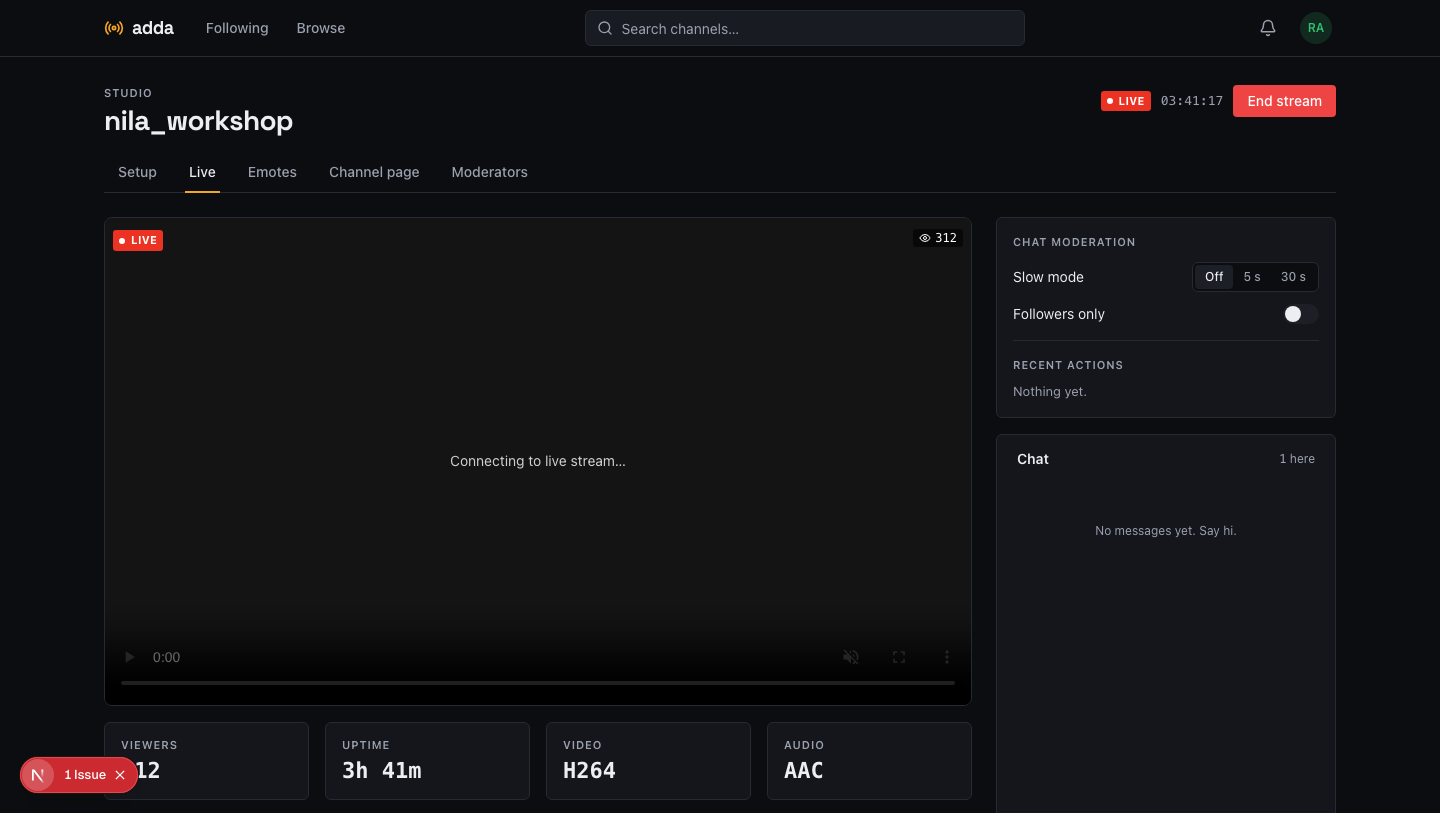
Studio
Everything the streamer needs while live, on one screen.
The studio shows the stream as viewers see it, its health, and the chat. Start a poll, switch on slow mode or followers-only, and act on a message without leaving the page.
- Copy the server and stream key for OBS in one click.
- Rotating the key disconnects the old encoder at once.
- Moderators delete, time out and ban; every action is logged.
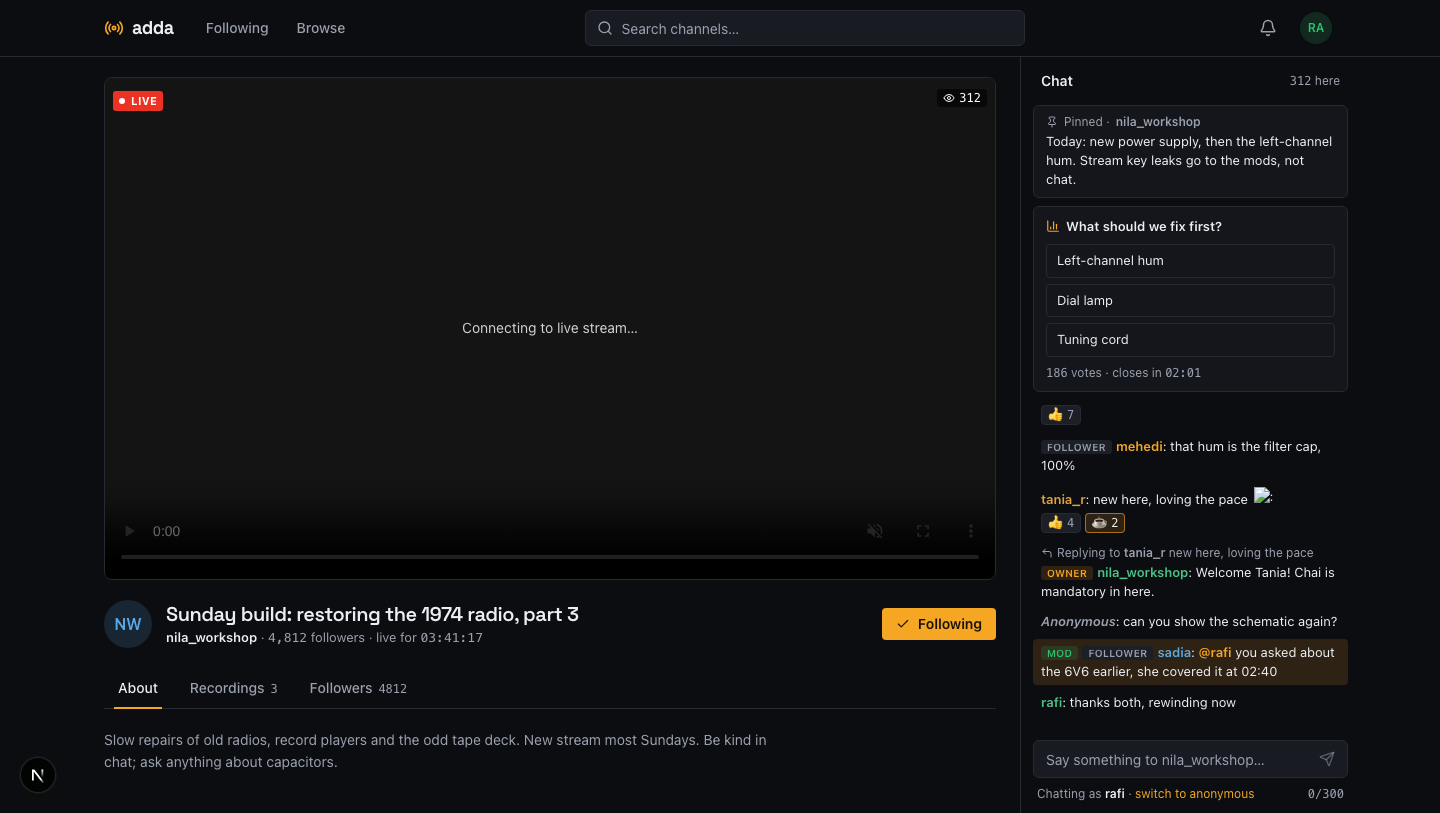
Channel page
About, links, announcements and followers.
Each channel has a banner, an about text, up to five links and announcements with a pin. Followers get a bell when you go live, and an email only if they ask for one.
- Emails are opt-in, per channel, at most one an hour.
- No email server? The email controls simply do not appear.
- Recordings play in the browser, with timestamped comments.
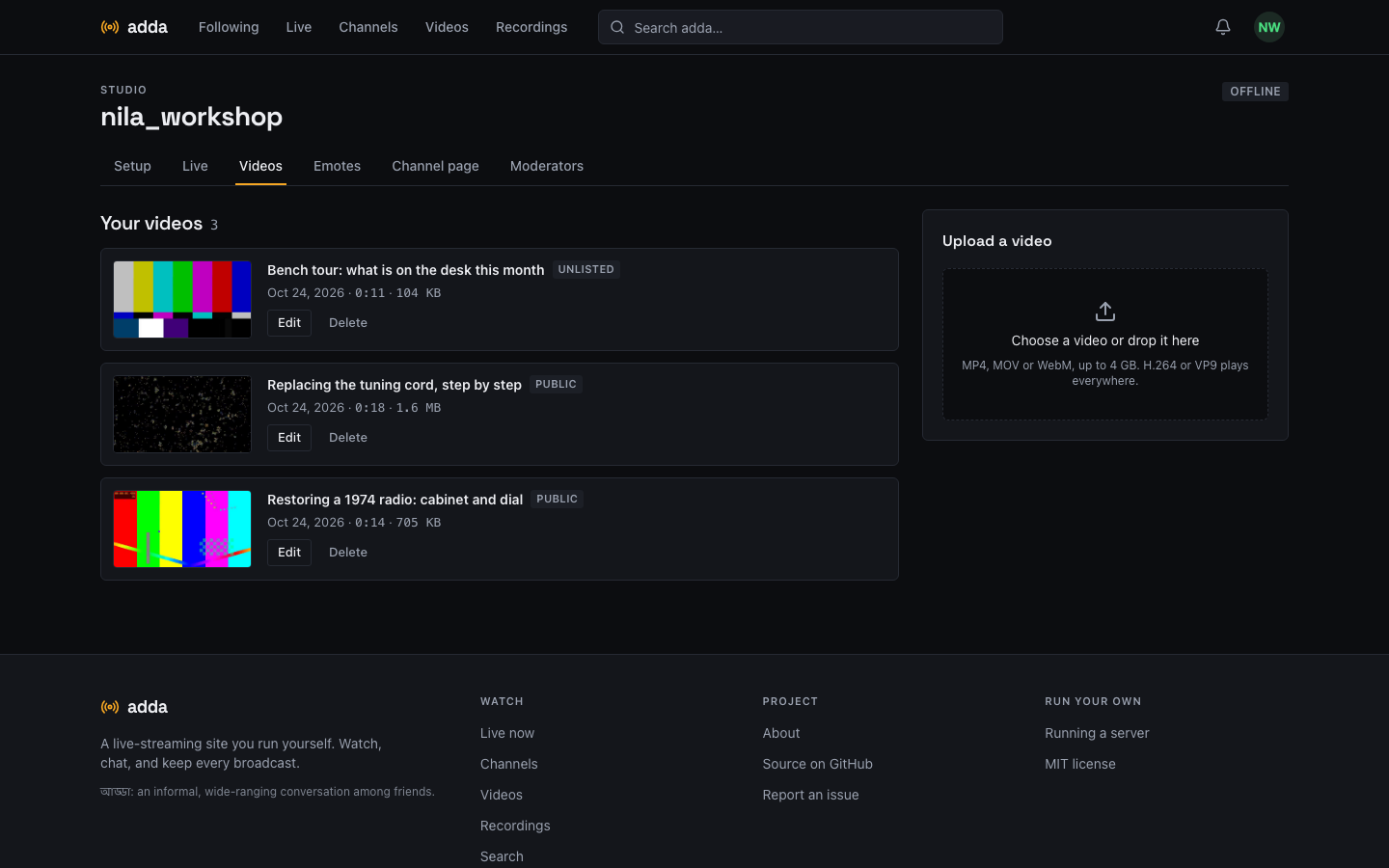
Videos
Upload a video. It plays as you made it.
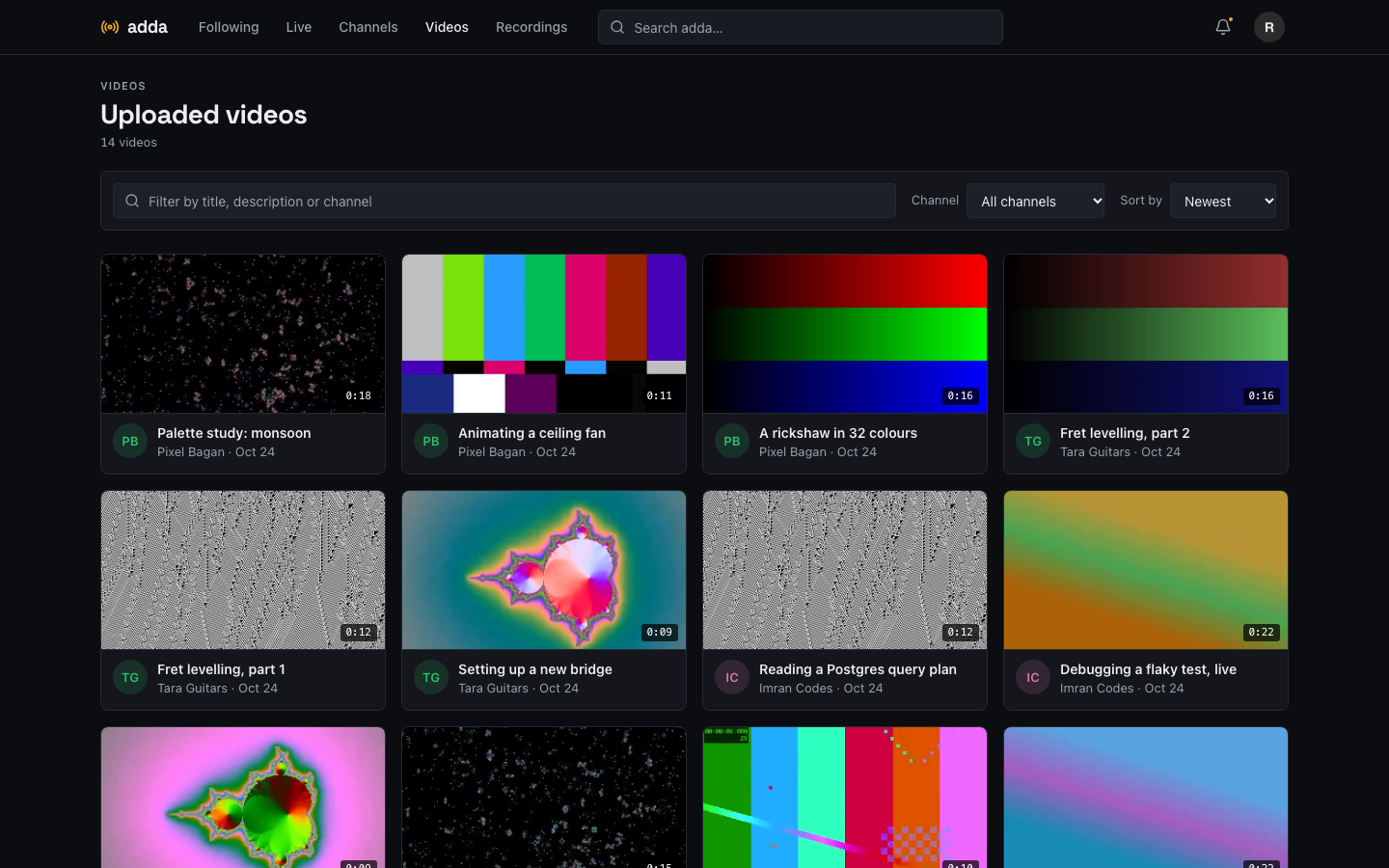
Channel owners upload MP4, MOV or WebM files up to 4 GB from the studio. The file goes up in parts and resumes after a dropped connection, then the server checks it, moves the index to the front so playback starts at once, and takes a poster frame.
- Public, unlisted or private, and editable at any time.
- No transcoding: H.264, VP8, VP9 or AV1 plays directly, and anything else fails with a clear message.
- Videos appear on the channel page, in a directory and in search.
Find things
One search box, and a directory for everything.
Search suggests channels, videos and recordings as you type, live ones first. Live, Channels, Videos and Recordings each have their own page with filters, sorting and numbered pages that you can bookmark.
- Arrow keys, Enter and Escape work in the search box.
- Filters and the page number live in the address, so any view can be shared.
- Private channels never appear anywhere.
Your account
A picture, a status, and chat on your terms.
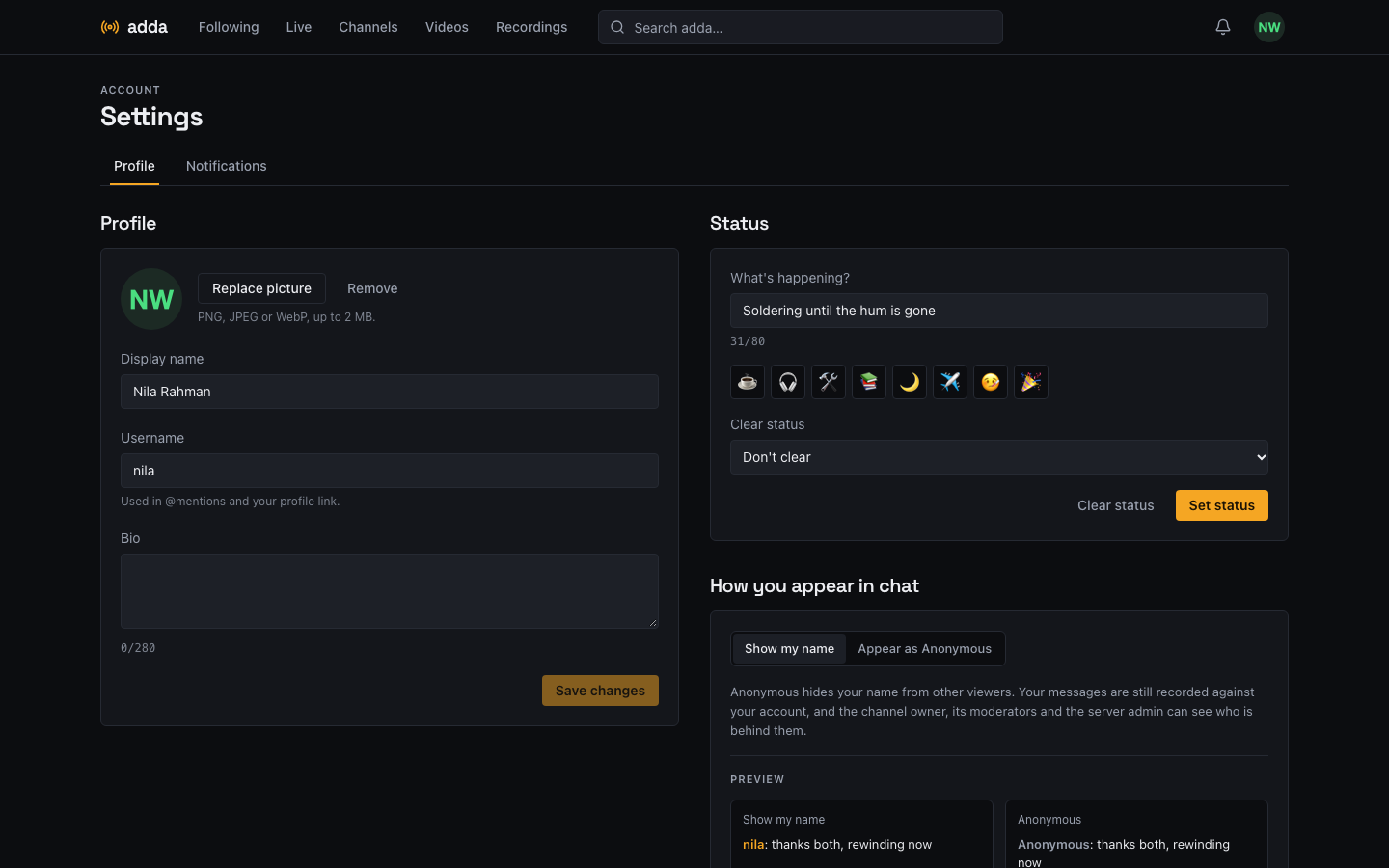
Upload a profile picture, set a short status with an optional end time, and choose whether you chat under your name or as Anonymous. Notifications are per channel, and email is opt-in.
- Anonymous hides your name from viewers, not from the moderators.
- Change your password in the same place.
- Signing out takes you back to the home page.
Who can do what
Guests watch. Accounts act. Anonymous is still recorded.
Every chat message, reaction and vote belongs to an account in the database, and the server refuses writes from guests, not just the page. Accounts can choose to appear as “Anonymous”: viewers never receive their name or id, but the channel owner, its moderators and the server admin can see who is behind a message, and each lookup is logged.
- Guest
- Watch, read chat, read polls, play recordings
- Account
- Chat, reply, react, vote, follow, comment on recordings
- Moderator
- Delete, pin, time out, ban, slow mode, reveal an anonymous author
- Owner
- Everything above, plus stream key, emotes, channel page, moderators
- Admin
- Users, streams and recordings across the server, through an API
How it works
One small stack, nothing hidden.
Hover or focus a box to see what it does and what it talks to.
Publish
The encoder pushes RTMP with your key. mediamtx asks the backend if the key is right.
Watch
Viewers get HLS in the browser, a few seconds behind. Recordings are written as you go.
Chat
One WebSocket. Messages are saved first, then fanned out through Redis to every server.
Run
Docker Compose, Postgres, Redis. Metrics, JSON logs, and a backup script are included.
Honest status
What is built, and what is not.
| Live streaming (OBS in, browser out) | Built, with automatic recordings |
| Realtime chat: replies, mentions, reactions, emotes, pins, polls | Built |
| Moderation: delete, time out, ban, slow mode, followers-only, audit log | Built |
| Anonymous chat that stays recorded against the account | Built |
| Follows, bell notifications, optional live emails | Built |
| Channel pages, announcements, recording comments | Built |
| Search, directories with filters and pages, video uploads (resumable, no transcoding) | Built |
| Profile pictures and statuses | Built |
| One-command install with automatic HTTPS | Built; timed install on a clean server still to measure |
| Prometheus metrics, JSON logs, backup and restore | Built and tested |
Not in version 1: desktop or mobile apps, direct messages, several rooms per channel, a light theme, an admin web interface, transcoding or clips, and WebRTC playback. Playback is HLS, and recordings and uploaded videos are not transcoded, so quality is what the encoder or the uploader sends. The full scope, with the reasoning, is in the repository.
Your server. Your streams. Your chat.
A 2 GB server, a domain and ports 80, 443 and 1935 is all it needs.
curl -fsSL https://raw.githubusercontent.com/shahadathhs/adda/main/scripts/install.sh | sh